


The Best Screen Recording Software for Windows
The Best Screen Recording Software for Windows

Are you looking for a top-class way to capture your computing activities in video or photo form? If so, you’ve come to the right place…
Screen recording software is more popular now than ever before. Also, it has become easier to use and acquire too! Several platforms will have built-in tools for screen capture these days.
But what can you do with screen recording software? Well, it brings a number of benefits to the table. Firstly, basic software will allow you to save content from a screen – either in video form or a simple screenshot.
This feature is great for saving online streaming videos or live video calls. Screen recording software can also be used to create product reviews or demonstrations, tutorials or reaction videos.
Moreover, advanced software of this kind will come with greater opportunities to enhance your content. This could include effects, different filming styles, editing tools and more diverse download capabilities.
 |  |  |  | |
| Best for | ||||
| Price | ||||
| Webcam recording |  |  | | |
| Audio Capture | | | | |
| Built in video editor | ||||
| Effects library | | | | |
| Picture-in-picture capability | | | | |
| Livestream capability | | | |
🗙
|
| Customisable |
🗙
|
🗙
| | |
1-
Apowersoft Free Screen Recorder
Key Features:
- Incredibly simple screen recording.
- Record the whole screen or custom region.
- Multiple audio mode support.
- Screen recording share support.
- No limit on record time.
- Allows webcam recordings.
- Record picture-in-picture.
- Apowersoft Free Screen Recorder is one of the easiest to use screen recorders out there. Not only has this robust application mastered the basics, it also has some standout advanced features too.You can choose the audio input, take simple screenshots, annotate, add lines and arrows and much more. Users can then save and upload their content via FTP or YouTube and share it on your favourite social media platforms.Apowersoft Free Screen Recorder can also export saved videos in a range of formats to suit your needs, including MP4, WMV, FLV, MPEG, VOB, ASF and GIF. It supports webcam recordings, and even allows the capture of audio alongside your video recordings.Overall, Apowersoft Free Screen Recorder is a great screen recording tool that is simple to use. The application has a straightforward interface and even novice users will be able to get to grips with the layout and functions.
- FREE DOWNLOAD LINK
- 2- MIRILLIS ACTION
- FREE DOWNLOAD LINK
- https://ckk.ai/lwCP5
- Key features include:
- Greenscreen mode.
- Live stream to popular streaming services.
- Time-shift recording.
- Audio recording.
- Optimized video player.
- Slow motion effects.
- Free Android app.
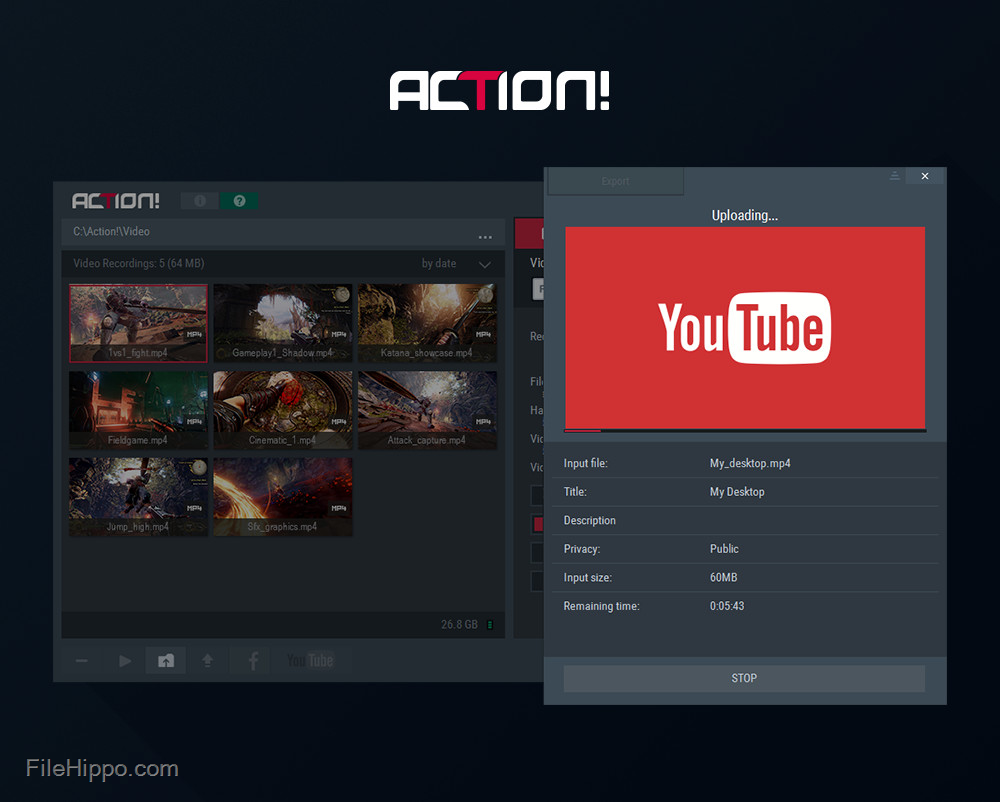
This option is feature-rich, stylish and user-friendly. It’s a great screen recorder and game play recording software solution.It allows the streaming and real-time recording of your Windows desktop, music recording, and screenshot captures in brilliant HD quality and has multiple features to include webcams and microphone commentary.Mirillis Action! comes with a ton of features to make your streaming and recording processes quick and easy. Use hotkeys to save a screenshot directly to your hard disc without interrupting your work or game play, or to save your best game play actions instantly with time-shift recording.It even includes a free Android app that allows you to monitor and control your game play and screen recordings, including options to check the frame rate or start, stop and pause recordings easily in real time.For sound, Mirillis Action! provides the ability to add live audio commentary to your streaming and recording. It can even record everything you hear on your PC in real-time and allows you to adjust the sound levels to create the perfect audio experience for your videos.Overall, Mirillis Action! is a popular, comprehensive screen recorder and game play recording software solution. It’s packed with great features and allows high performance streaming and high-quality recording of your screen and game play.3- OBS STUDIO 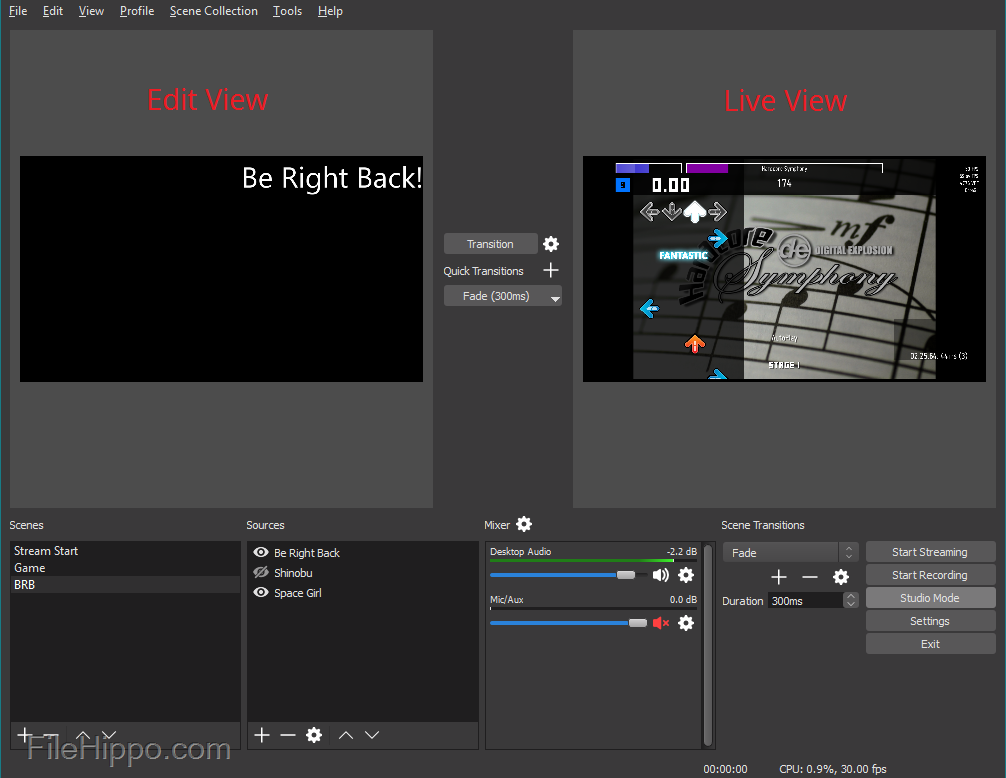
- Key features include:
- Video recording and live streaming software.
- Completely free and open-source.
- Allows plug-ins and scripts for customisation.
- High performance video and audio capture and mixing.
- Add live facecam or picture-in-picture.
- Large transition library.
- Set hotkeys for actions.
- Studio mode.
- Modular ‘Dock’ UI.
OBS Studio is a popular free and open source video recording and live streaming tool for Windows PC. It comes with a powerful range of features that allow you to create professional videos and live stream set-ups.Scenes can be gathered from multiple sources including window captures, images, text, browser windows, webcams, capture cards and more. OBS Studio is especially loved by Twitch streamers because of its flexible setup capabilities and the ability to add facecam to your live streams. You can add an unlimited number of scenes switch between them seamlessly via custom transitions.You can completely customize every aspect of your recording or broadcasting with the Streamline settings. OBS Studio also implements a modular UI that allows the user to rearrange the layout or open elements in their own window. This means you can create a fully customised setup that works exactly how you need it to.OBS Studio is built for collaboration and customisation. It is equipped with a powerful API to allow plugins and scripts that allow you to use the software in a way that suits your unique needs. Because it is open source, it also allows you to work with community developers to create the features you need.Overall, OBS Studio is a powerful and feature-filled program for video recording and live streaming on windows PC. It is open source, completely free, and allows you to unlock powerful customisation and functionality to suit your specific needs.




No comments